
Introducing ChitUI
The open-source control hub for resin 3D printers — full remote control from any browser, anywhere on your network.
Meet ChitUI: a powerful, plugin-driven web interface that gives you full remote control over your resin 3D printer — from any device, anywhere on your network.
What is ChitUI?
ChitUI is a modern, open-source web interface designed to give resin 3D printer users full control over their machines — directly from a browser. Whether you are printing in the next room or monitoring a long overnight job, ChitUI keeps you connected, informed, and in control.
Built to run on a Raspberry Pi alongside your printer, ChitUI communicates directly with your machine over the network and presents everything you need in a clean, fast, and intuitive dashboard.
Why ChitUI?
Resin printing is precise work. A failed print wastes resin, time, and FEP film. ChitUI was built to eliminate the guesswork — giving you real-time visibility into your printer status, file management, camera feeds, and hardware health, all from a single screen.
Unlike closed ecosystems, ChitUI is fully extensible via plugins. You install only what you need, and the community can build on top of it.
Key Features
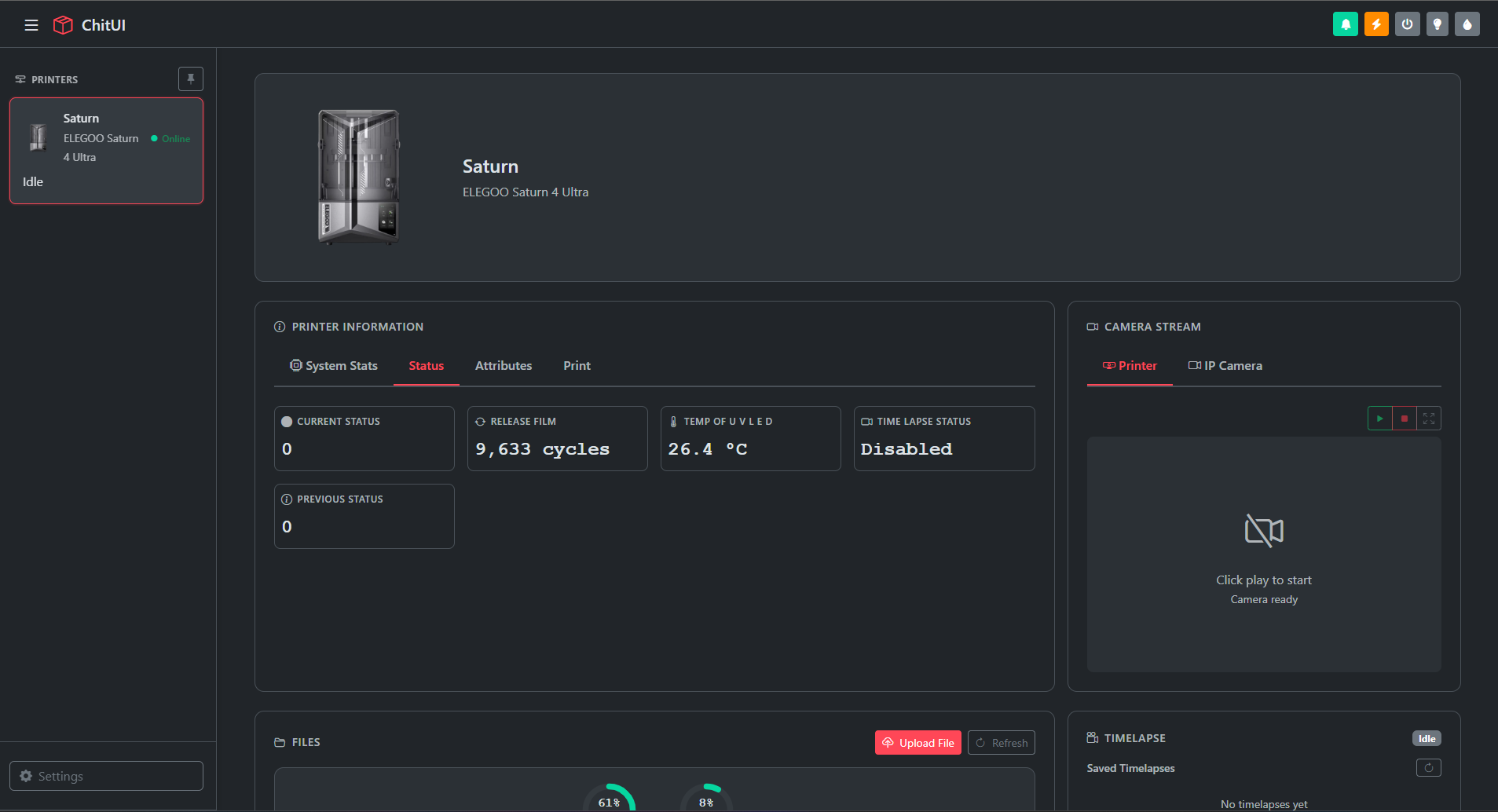
Real-Time Printer Dashboard
The ChitUI dashboard gives you instant access to everything that matters:
- Live printer status — Idle, printing, paused, and more
- UV LED temperature — monitor thermal conditions in real time
- Release film cycle count — know when to replace your FEP
- Firmware version, resolution & free storage — always at a glance
File Management
Upload, browse, and manage your .goo print files directly from the browser. ChitUI shows both local printer storage and USB drives, with thumbnail previews for every file. Start a print, download a file, or delete it — all without touching the printer.

Storage overview for printer and USB drives.
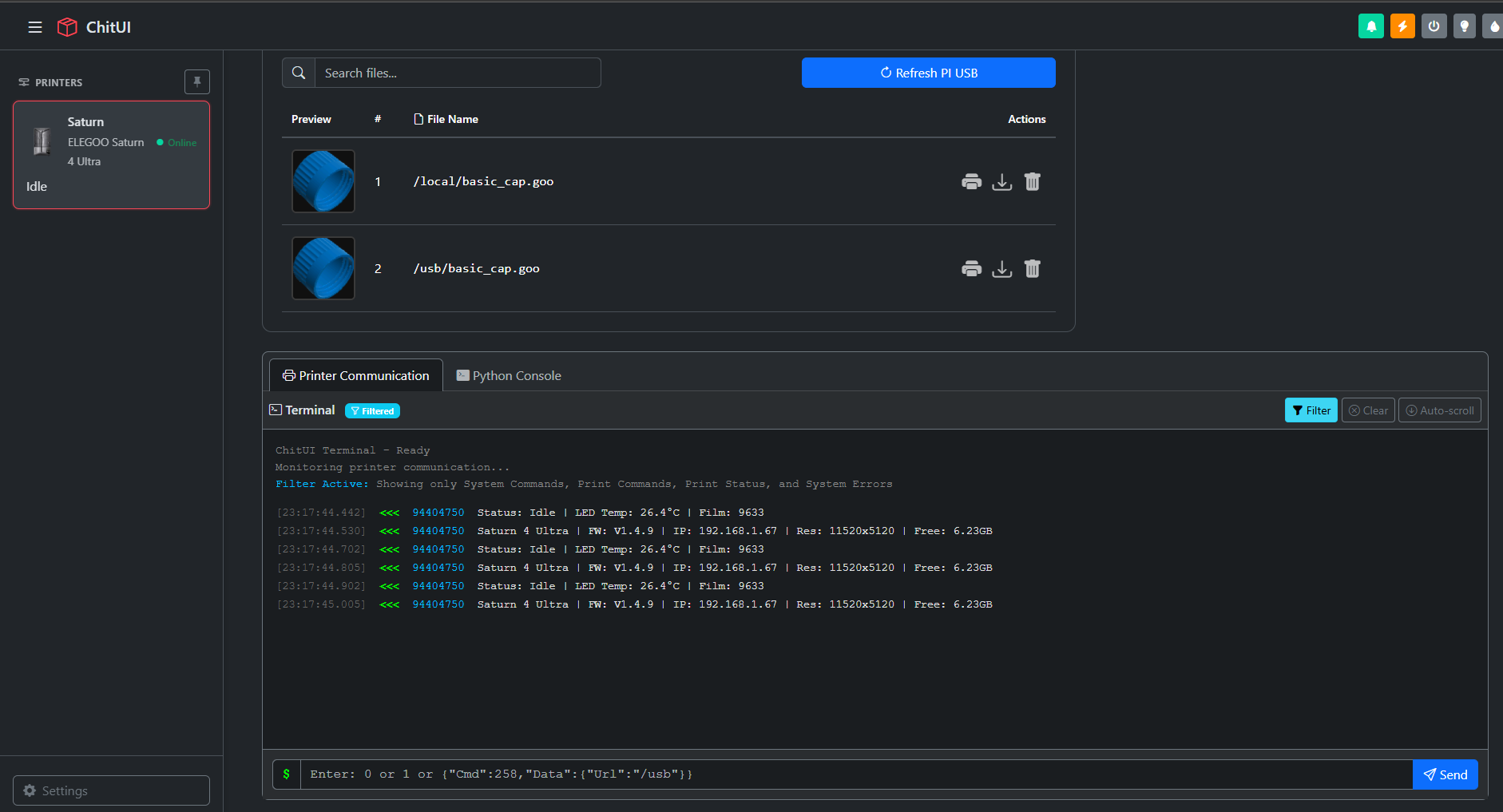
File list with thumbnail previews and terminal.
Camera Streaming
Keep an eye on your prints with live camera streaming. ChitUI supports both the printer's built-in camera and external IP cameras (plugin) via RTSP, HTTP, or direct streams — powered by OpenCV, GStreamer, and FFmpeg.
Printer Communication Terminal
Power users get a full Printer Communication Terminal with live filtered output and a Python Console for direct scripting. Send raw commands, debug printer responses, and automate sequences — all from the browser.
Multi-Printer Support
Managing more than one printer? ChitUI supports multiple printers simultaneously. Add them by IP, name them, assign images, and switch between them instantly from the sidebar.
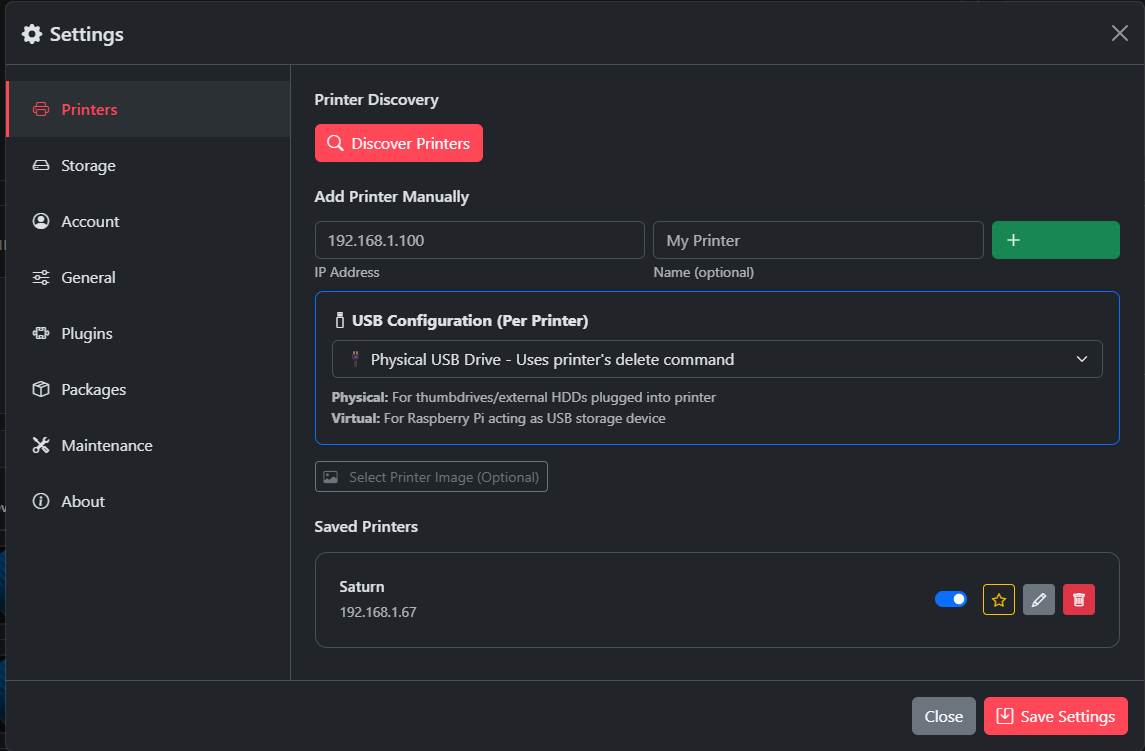
Add printers manually by IP or use auto-discovery. Configure USB mode per printer.
Plugin System
ChitUI ships with a powerful plugin architecture. Install, enable, disable, and configure plugins from the built-in Plugin Manager. Plugins available today:
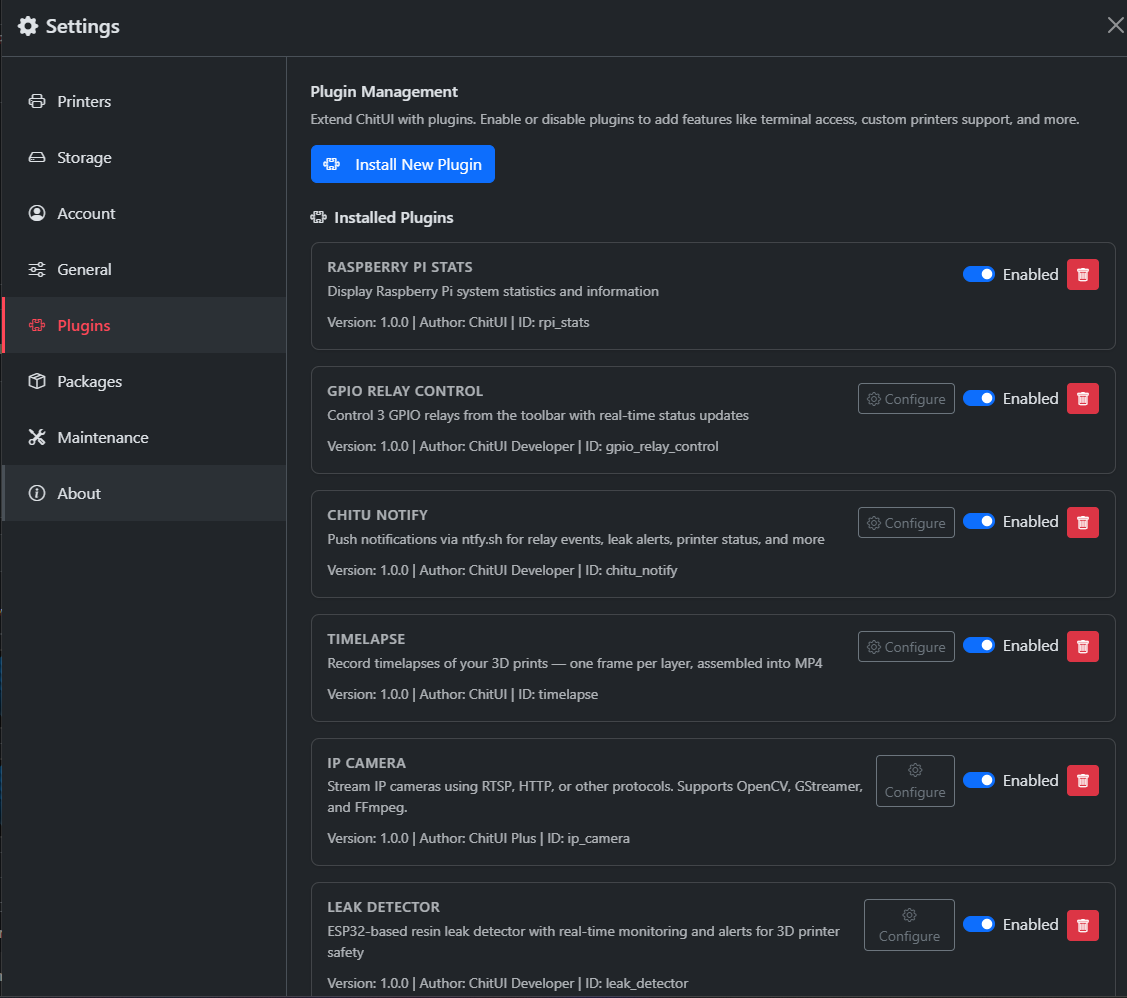
The Plugin Manager — enable, disable, and configure each plugin independently.
Raspberry Pi Stats
CPU, memory, temperature, and system health at a glance.
GPIO Relay Control
Control 3 relays from the toolbar — lights, fans, UV stations.
ChitUI Notify
Push notifications via ntfy.sh for print events and alerts.
Timelapse
Per-layer capture, auto-assembled into MP4 at print end.
IP Camera
Stream any RTSP / HTTP IP camera inside the dashboard.
Leak Detector
ESP32-based resin leak detection with real-time alerts.
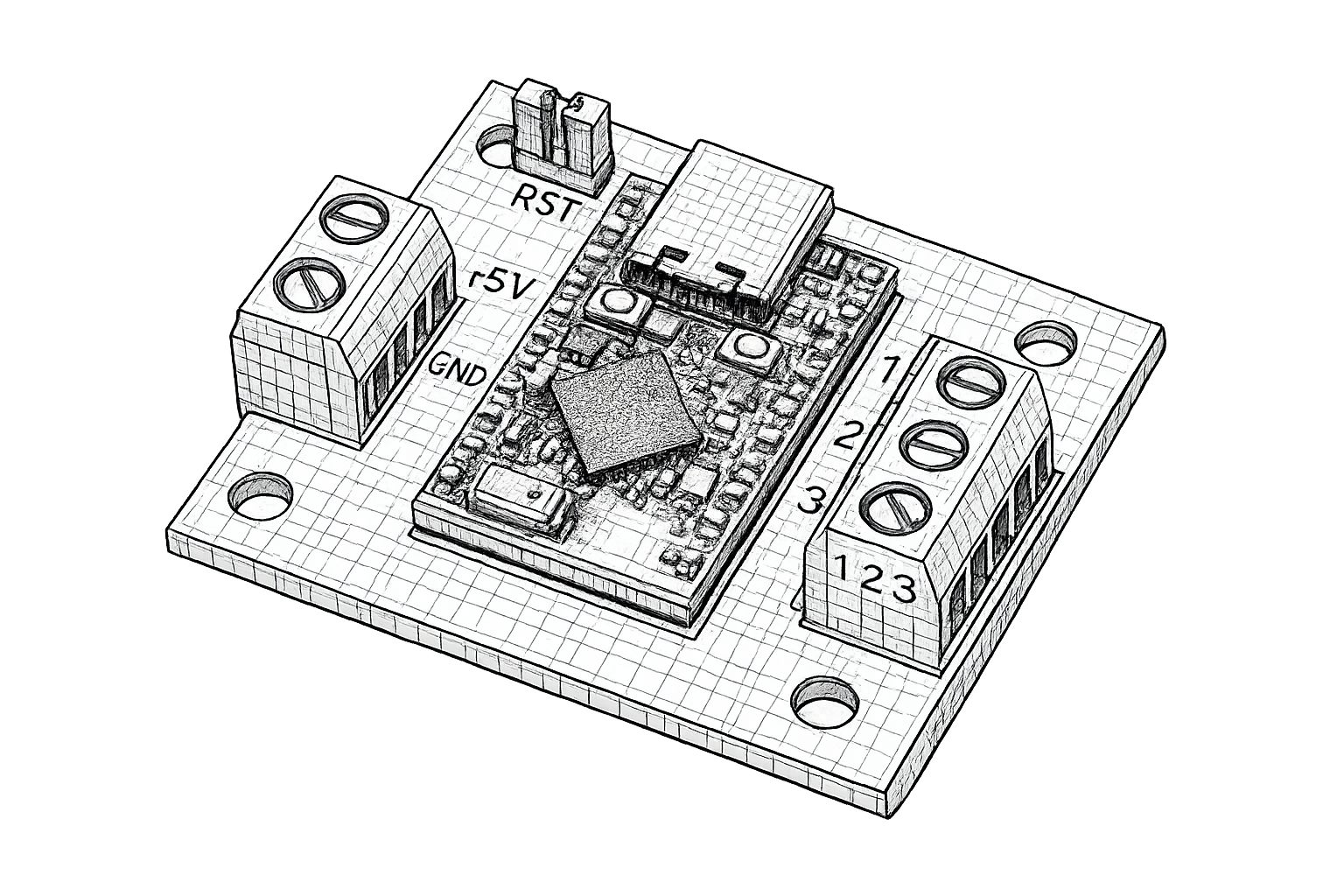
Custom Hardware Support
ChitUI integrates with custom ESP32-based boards for GPIO relay control and resin leak detection. The board connects directly to your Raspberry Pi and is fully configurable from the ChitUI plugin interface — no extra software needed.
Who is ChitUI For?
ChitUI is for makers, hobbyists, and professionals who want more control over their resin printing workflow. If you run a Raspberry Pi with your printer and want a better experience than the stock touchscreen — ChitUI is for you.
It is also for developers. The plugin system is designed to be approachable: if you can write a bit of Python and JSON, you can build and share your own ChitUI plugin.
Supported Hardware
ChitUI runs on a wide range of Raspberry Pi hardware. Whether you are on a budget or want maximum performance, there is a supported board for you:
- Raspberry Pi Zero 2 W — compact and low-power, perfect for tight spaces next to your printer
- Raspberry Pi 3 — solid quad-core performance for smooth streaming and file management
- Raspberry Pi 3+ — improved networking and thermals over the Pi 3
- Raspberry Pi 4 and above — recommended for timelapse recording, IP camera streaming, and heavy plugin use
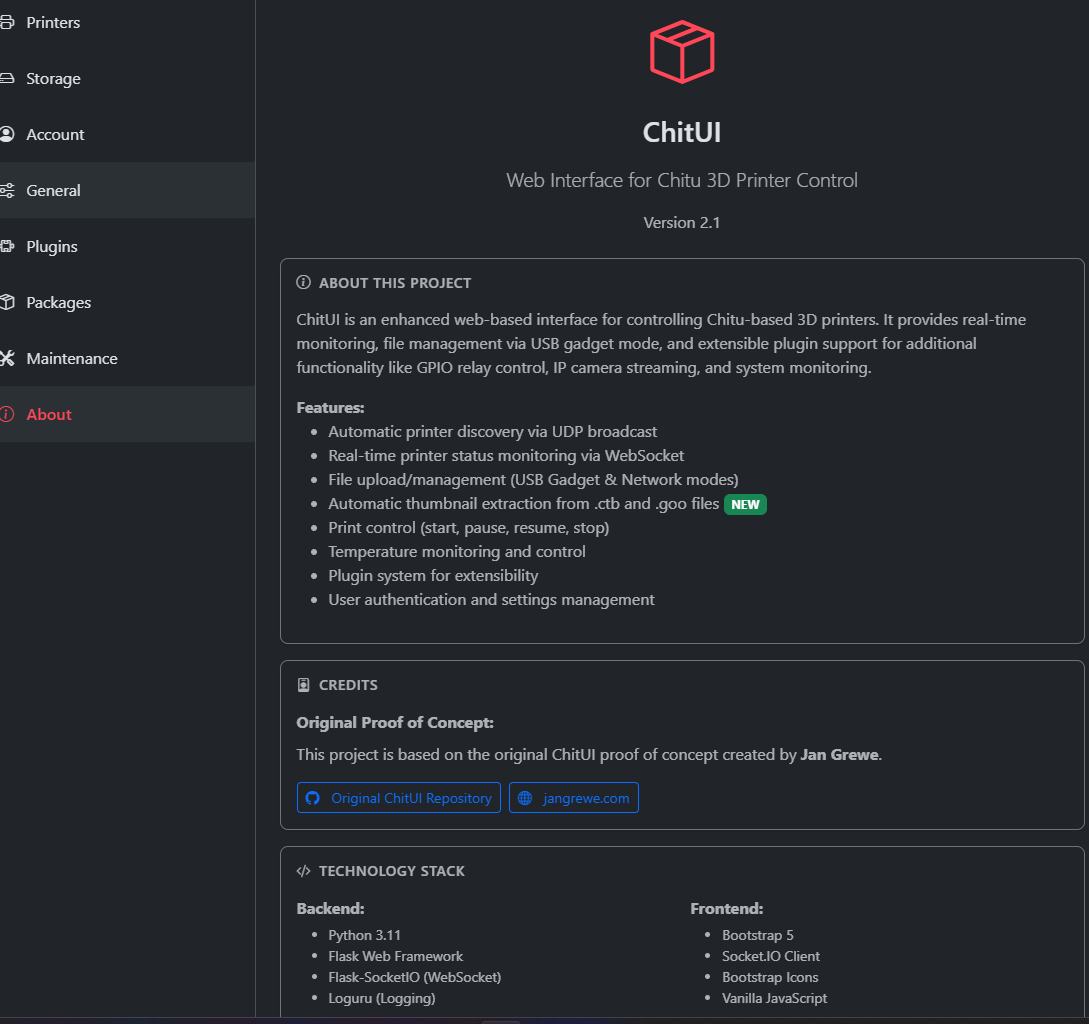
ChitUI's built-in About page — version info, features, tech stack, and credits.
Join the Community
ChitUI is built in the open. Star the repo, open issues, submit plugins, or just say hi on Discord — everyone is welcome.